
One of the first challenges in developing Guanche Warriors was building the foundations for exploration.
Before creating a detailed world, I needed something much simpler: a character that could move around, collide with the environment and interact with an NPC.
What started as a small 2D prototype eventually led to a change in the technical direction of the project.
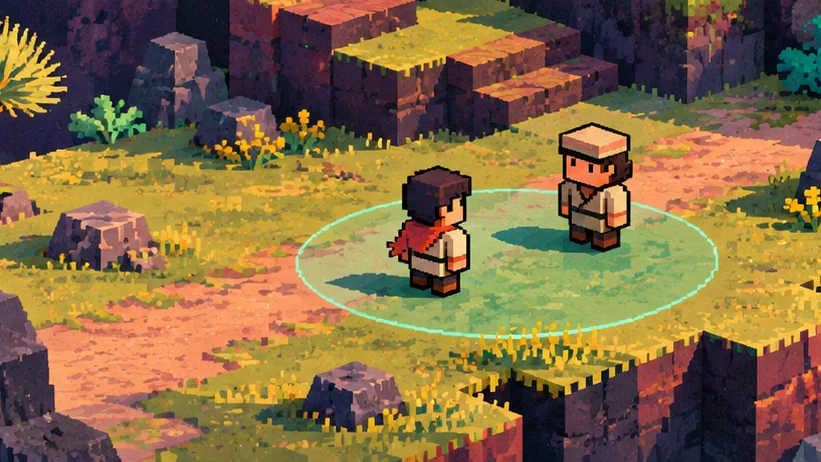
Visual disclaimer: This is a temporary AI-generated illustration created solely for this devlog post. Guanche Warriors is still in early development and does not yet have finalized game art or visual assets. This image does not represent actual gameplay or the game’s final art direction.
Starting with 2D
The original prototype was built around a traditional 2D approach.
My initial plan was to use pixel art, with character sprites and environments inspired by classic JRPGs.
At this stage, the goal was to establish a few essential systems:
- Move the player around the environment.
- Detect collisions with walls.
- Interact with an NPC.
- Open and close a dialogue panel.
It wasn’t much to look at yet, but it was a useful starting point.
Getting these basic elements working helped me understand how player input, collisions and interactions fit together.
More importantly, it gave me a working prototype that I could experiment with.
Moving from 2D to 2.5D
As I continued developing the prototype, I started exploring a different approach.
Instead of building the world entirely with 2D components, I decided to experiment with a 3D environment while keeping the kind of exploration experience I wanted for a JRPG.
The result was a move towards 2.5D.
The distinction is important: the game doesn’t need to become a fully free-camera 3D adventure just because the environment uses 3D objects.
I can still control the perspective and movement to create a more traditional RPG experience.
Why make the change?
One of the main motivations was having access to Unity’s 3D physics and lighting systems.
Using a 3D environment gives me more flexibility to experiment with physical collisions, scene geometry, materials, shadows and lighting.
It also opens up different possibilities for the visual presentation of the world.
This doesn’t mean the 2D prototype was a mistake or that 3D physics are automatically better. It means the new approach seemed better suited to what I wanted to explore.
There was also a practical advantage: the project was still at a very early stage.
I had character movement, a basic collision test and a simple NPC interaction. Changing direction at that point was much more manageable than it would have been after building a large amount of content.
Adapting Character Movement
The change wasn’t just visual.
The original movement system used Unity’s 2D environment. Moving to a 3D scene meant reconsidering how the character moved and interacted with the world.
For example, movement could now take place across the X and Z axes, while the Y axis represented height.
The physics components also changed.
Instead of relying on Rigidbody2D and Collider2D, the new prototype used Unity’s 3D physics components.
The objective remained the same: movement needed to feel predictable and responsive, regardless of the underlying implementation.
I also added sprinting and continued refining how the character responds to player input.
This is something I expect to keep adjusting as the project develops.
NPC Interactions: More Than a Collision
Once the character could move around the environment, I wanted to make exploration more interactive.
The first test involved a simple NPC and a dialogue panel.
However, walking into an NPC and interacting with one are two different things.
I needed a way for the game to recognise when the player was close enough to interact, without treating that detection area as a physical obstacle.
Separating physical collisions from interaction zones
The solution was to give the NPC two different collision responsibilities.
1. Physical collider
A regular Capsule Collider represents the NPC’s physical presence in the environment.
This collider is responsible for preventing the player from walking straight through the character.
2. Interaction trigger
A separate Sphere Collider defines the area around the NPC where interaction becomes possible.
This collider has Is Trigger enabled.
Unlike a regular physical collider, a trigger is designed to detect when another object enters or exits its area without acting as a solid barrier.
For the initial implementation, we experimented with a sphere of roughly two Unity units in radius, although this remains a value to refine during testing.
The important distinction is that the character’s physical space and interaction range are managed separately.
Detecting when the player is nearby
The interaction system needs to respond to two events.
When the player enters the interaction zone, the NPC becomes available for interaction.
When the player leaves the interaction zone, that availability is removed.
In Unity, this behaviour can be implemented using trigger events such as OnTriggerEnter and OnTriggerExit.
This gives us a simple foundation for deciding when the player should be allowed to start a conversation.
It also makes the interaction distance easier to adjust without changing the NPC’s physical collider.
Making Conversations Feel More Natural
Detecting proximity is only the beginning.
Once the player can interact with an NPC, the experience needs to communicate clearly what is happening.
We continued developing the system with several improvements.
Interaction prompts
An interaction prompt gives the player a visual indication that an NPC can be approached and interacted with.
This feature was developed by carpinterzeta and integrated into the project.
It helps make the interaction system more understandable without requiring the player to guess which objects are interactive.
Dialogue and player movement
Another important detail is what happens after a conversation starts.
If the dialogue panel is open, the player shouldn’t continue moving around as though nothing has happened.
We implemented movement blocking during dialogue so that player input doesn’t interfere with the conversation.
The dialogue system also supports progressing through multiple lines rather than displaying only a single message.
NPC facing
We also worked on having NPCs turn towards the player during interactions.
This may seem like a small detail, but it contributes to making conversations feel more intentional.
Rather than instantly changing orientation, the NPC can rotate towards the player’s position.
It’s one of those features where even a small adjustment to rotation speed can noticeably change how the interaction feels.
What I Learned
This part of development has reinforced a few lessons.
Prototypes are there to test ideas, not to become permanent commitments. Starting in 2D helped me learn and validate the fundamentals, even though I later decided to explore a different technical approach.
Collisions and interactions have different responsibilities. Separating an NPC’s physical collider from its interaction trigger makes the behaviour easier to understand and refine.
Small details matter. Interaction prompts, movement blocking during dialogue and NPC orientation all contribute to a more coherent experience.
And perhaps most importantly, building a game involves revisiting decisions as much as implementing new features.
What’s Next?
The foundations for character movement, NPC interactions and dialogue are now in place.
The next challenge is to keep expanding the gameplay systems and connecting them into a more cohesive experience.
There’s still plenty to refine, but the world is becoming a little more interactive with each iteration.